
Upgrader.pro Promo Code 2026: +5% on Every Balance Top-Up
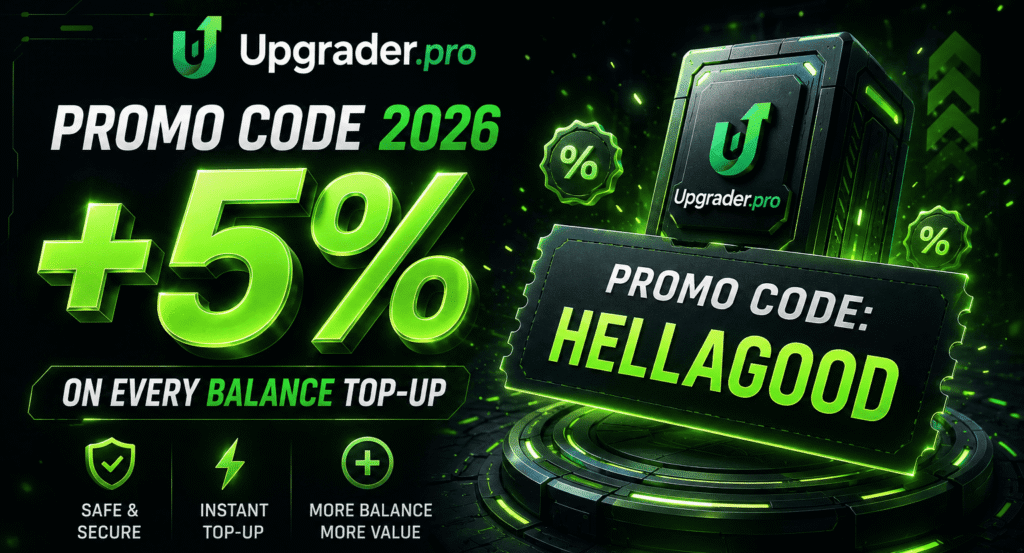
Want more from your next balance top-up? Enter HELLAGOOD when making your deposit, and we’ll automatically add a +5% bonus to your balance. Several active promo codes currently offer the same reward, so you only need one. Simply enter it before completing your top-up, and the bonus will be added automatically.
Working Upgrader.pro Promo Codes (July 2026)
Here are the codes that work right now. All of them add +5% to your top-up. The main one is HELLAGOOD. You only need one code, so just pick the one you like.
| Promo code | Bonus | Status |
| HELLAGOOD | +5% to your balance deposit | Active |
| HELLA | Receive a 5% deposit boost | Active |
| CSGOTOTEM | Add 5% bonus value to your deposit | Active |
| CYBERSPORT | Receive a 5% Bonus When You Top Up Your Balance | Active |
We keep this list up to date, so these Upgrader Pro promo codes are valid for July 2026. All the active codes give the same +5%, so there is no “best” one to hunt for. You also do not stack them. One code per top-up is how it works.
If a code ever stops working, we take it off the list. That way you do not waste time on an old code. The status column tells you at a glance which codes are on. “Active” means the code works today and adds additional benefit to your balance.
Come back here for the newest Upgrader.pro promo codes 2026, and use the one that is active when you invest your money. The bonus is always the same, so any active code is a good choice. There is no better code to miss out on.
How Upgrader.pro Bonus Codes Work
A bonus code is easy to use here. You add it when you top up your balance, not later. There is a small box on the top-up screen for the code. You type the code, then you pay. The +5% is added to your balance right away.
Here is what to know:
- You enter the code before you pay, on the top-up screen
- The bonus is +5% of the amount you add
- The extra goes straight to your balance, ready for upgrades
- You use one code per top-up
Any working Upgrader.pro promo code 2026 follows the same simple rule. The bonus sits in your balance and works like the rest of your money. All Upgrader Pro codes we provide here give the same +5%, so the steps never change from one code to the next.
Using an Upgrader.pro Bonus Code in Practice
What happens after you activate an Upgrader.pro promo code? Once you sign in with Steam and enter a valid code during the top-up process, we automatically add the extra 5% to your balance before your payment is completed. It is not a free skin or a separate reward.
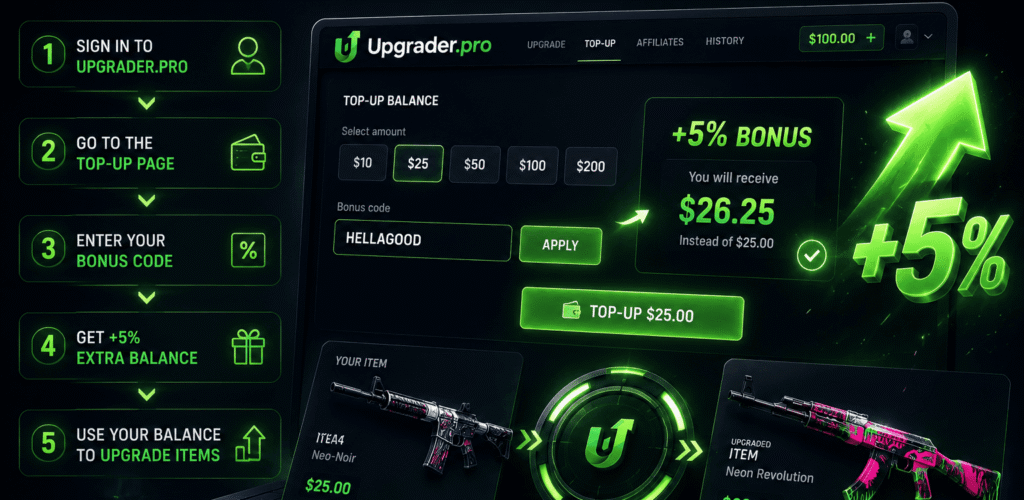
For example, if you top up 2,000 points, the code adds 100 extra points, giving you a starting balance of 2,100 points.
You can use this balance for upgrades. Pick a skin or balance amount, choose the target skin, and check the chance before you confirm. A smaller upgrade usually gives a higher chance. A bigger upgrade gives a lower chance, but the possible item is worth more.
That is the real value of Upgrader Pro promo codes here: a bigger start, but it doesn’t give you a better chance.
Redeeming an Upgrader Pro Bonus Code
Here is how to turn on your bonus, step by step:
- Sign in with Steam. This is the only way to log in, and it takes one click.
- Go to the top-up screen to add money to your balance.
- Find the promo box and enter your code, such as HELLAGOOD.
- Check that the +5% shows on the screen.
- Pay, and the bonus lands in your balance.
That is the whole process for an Upgrader Pro promo code. The key part is step three: you must add the code before you pay. If the +5% does not show, clear the box and type the code again. If you still need assistance, contact us through our official Telegram bot or by email.
Using Your Bonus on the Upgrader.pro CS2 Upgrade System
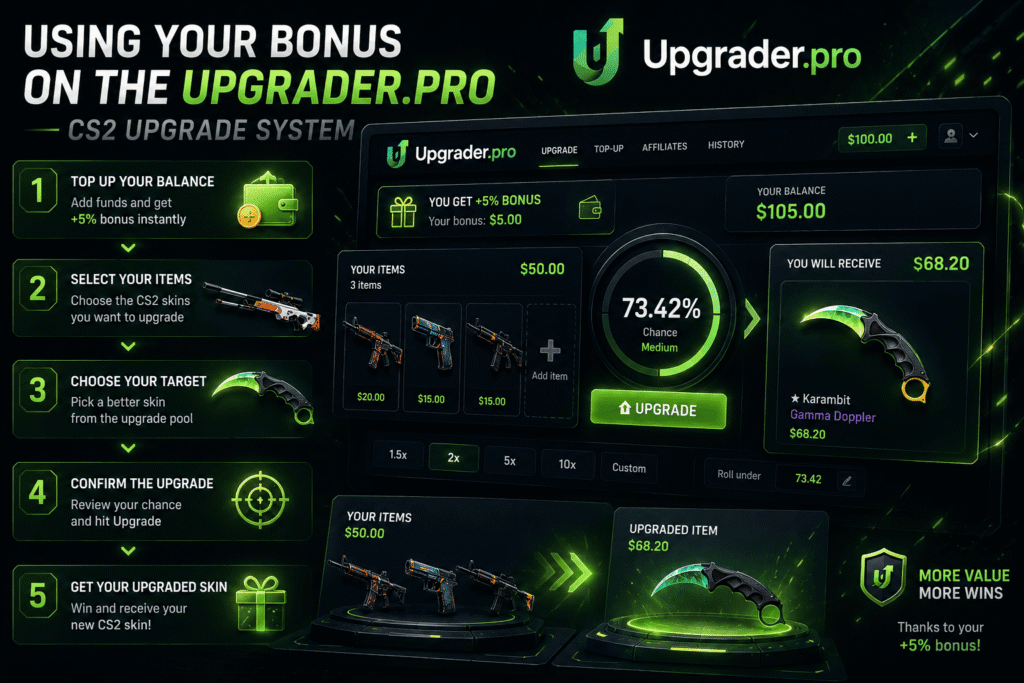
Your bonus is now part of your balance. So you can spend it on the Upgrader.pro CS2 upgrade system like any other money. It does not sit in a special place, and it does not have its own rules. Here is how you put it to work.
Starting an Upgrade
To start, you need two things: a skin to put in and a target to aim for. First off, it is necessary to pick your skin from your inventory. The target must have a higher value than the item or balance used.
After that, the upgrade box shows the chance and multiplier. When the user confirms, the result is generated and shown on the screen. If the upgrade wins, the target skin is added. If it loses, the starting item or balance is gone.
Understanding Upgrade Chances
Before you press the button, our site shows your chance in percent. The number isn’t random. It comes from the gap between your skin and the target. A small step up gives a high chance. A big jump gives a low one. You can sort targets by chance, like 30, 50, or 70 percent. You can also sort by a multiplier, like x2, x5, or x10. So you pick the risk you want before you spend a single coin.
Tips Before Upgrading Your Skins
A few simple tips may help you improve your experience. Start with small steps while you learn how the bar feels. Watch the percent, not just the skin, because the percent is your real chance.
What you need to do is to use your bonus balance the same careful way you use your own money. And set a limit before you start. When you reach it, stop for the day. The skins and the targets will still be here next time.
Bonus Code Rules and Eligibility
The rules for these codes are simple. Here is what we can confirm:
- You add the code on the top-up screen, before you pay
- The bonus is +5% of your top-up
- You use one code per top-up, and codes do not stack
- The bonus goes to your balance as normal funds
All active Upgrader.pro promo codes follow these same rules. For anything else, like time limits, look at the current terms on the site, because offers can change. We do not hide extra rules in the small print. If you are not sure a code is still on, the live list here and the site both show you. Most Upgrader Pro codes are simple and work the moment you add them.
More Ways to Earn Rewards on Upgrader.pro
The codes are not the only way to get more here. The platform has a few other rewards built in:
- A mini-case when you lose. Every time an upgrade misses, our website opens a small case and gives part of your value back.
- Events with better chances. From time to time, there are events with higher odds on rarer skins.
- Prize events. Some events have a big coin prize pool, and any player can win a share.
These come with the game, so you do not need a code for them. The mini-case is automatic, and it needs no code. The events show up on the site when they are on, and you just take part. This is separate from the Upgrader.pro promo codes 2026 in the table above. New skin collections also arrive often, so there is usually a fresh target to chase.
Is Upgrader.pro Legit?
It is fair to ask whether we are a safe platform before you add money. The best proof is what you can see for yourself:
- You log in with Steam, so we never get your password
- Every player profile is open, so you can see real wins, losses, and payouts
- A live feed shows real upgrades as they happen
- Each upgrade result can be checked through Provably Fair verification
We do not ask you to just trust us. You can look at the open results and the feed, and you can check a result on your own. Support is available too. Whether you have questions, you can always reach us via Telegram or email.
Even the Upgrader.pro promo codes work in the open: the +5% shows on the screen before you pay, so there is no hidden catch. Still, an upgrade is a game of chance with real risk.
Making the Most of Your Bonus Code
To get the full +5%, timing is everything. Add your code before you put money on your account. This is the most essential condition for getting additional benefit.
The most common mistake is simple. People forget the code and pay first. A quick look at the screen for the +5% saves you from that. Pick one of the active Upgrader.pro promo codes 2026, type it in, and make sure the bonus shows before you confirm. That one habit is all you need to get the most from every Upgrader Pro promo code.
Frequently Asked Questions
Enter Upgrader Pro codes in the promo field during the wallet top-up flow, before you confirm payment.
They all give the same +5%, so there is no higher one. HELLAGOOD is a good pick.
Yes. You add the code on your next top-up, the same way a new player does.
Right before you deposit into your account. The +5% only counts on the money you add after the code is on.
It may be old, or you added it after payment. Try a current code, and type it in before you pay.
No. You use one code before you deposit into your account. And remember that codes do not accumulate.