
Is Upgrader.pro Safe and Legit? Steam Authentication & Provably Fair Explained
At Upgrader.pro, we explain safety through features users can check directly. Account access is handled through Steam authentication, upgrade results can be checked through the Provably Fair tools, and completed upgrade data can be reviewed through the platform’s verification area. This does not remove risk from CS2 upgrading, but it helps users understand how access, activity, and fairness checks work.
How Steam Authentication Works
Steam sign-in is one of the first security-related steps users see before using the platform. Instead of asking users to create a separate platform password, the login flow connects account access to Steam authorization.
Signing In Through Steam
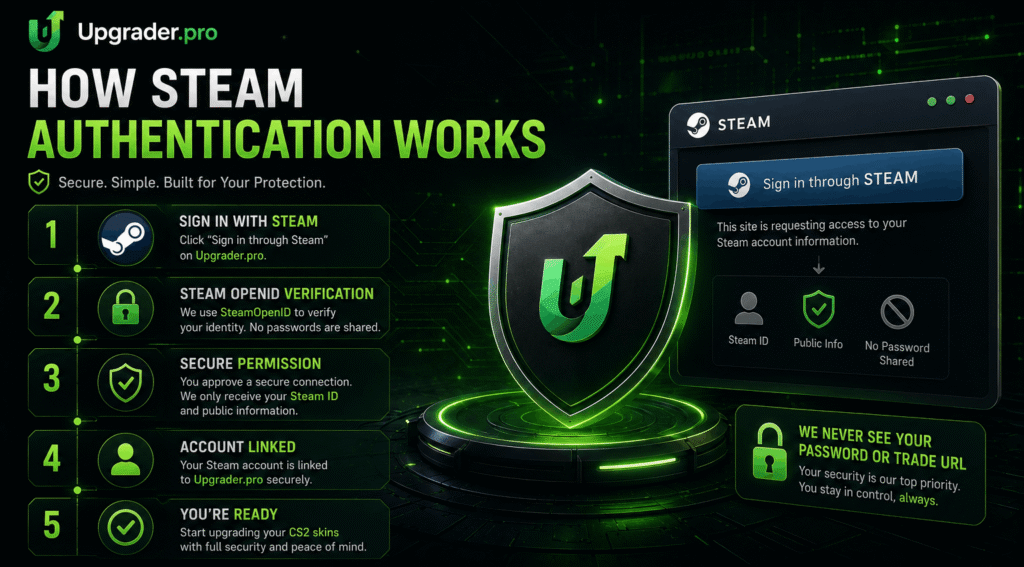
Upgrader.pro uses Steam login for account access. Users choose the Steam sign-in option and continue through Steam’s own authentication flow. This process is based on Steam OpenID authentication, where Steam confirms the user’s account identity and returns the information needed to recognize the session.
During the login experience, users should pay close attention to the browser address bar. A real Steam authorization page should be connected to the official Steam domain, not a copied login page on another website. Before entering any credentials, users should check that the page belongs to Steam.
What Users Share During Login
Steam OpenID authentication is mainly used to confirm account identity. After the user signs in and authorizes access, Steam can return the SteamID and public profile information needed to connect the account session to the platform.
This does not mean users are creating a new password with the platform. The login flow is designed around Steam account authorization, not separate platform credential storage. Users should understand that account access begins with Steam confirming who they are.
Password Handling and Login Safety
A proper Steam OpenID process does not require users to enter their Steam password directly on Upgrader.pro. Users should only enter Steam credentials on Steam’s official sign-in page.
At Upgrader.pro, we never ask users to provide their Steam password, Steam Guard code, recovery code, or Steam Web API key outside the official Steam sign-in process. If any website or message requests this information, users should treat it as suspicious and leave the page immediately.
Understanding the Provably Fair System
The Provably Fair area gives users a way to inspect upgrade results beyond the animation shown on the screen. The main purpose is to help users compare completed results with the data available in the verification tools.
Where Users Find Verification Tools
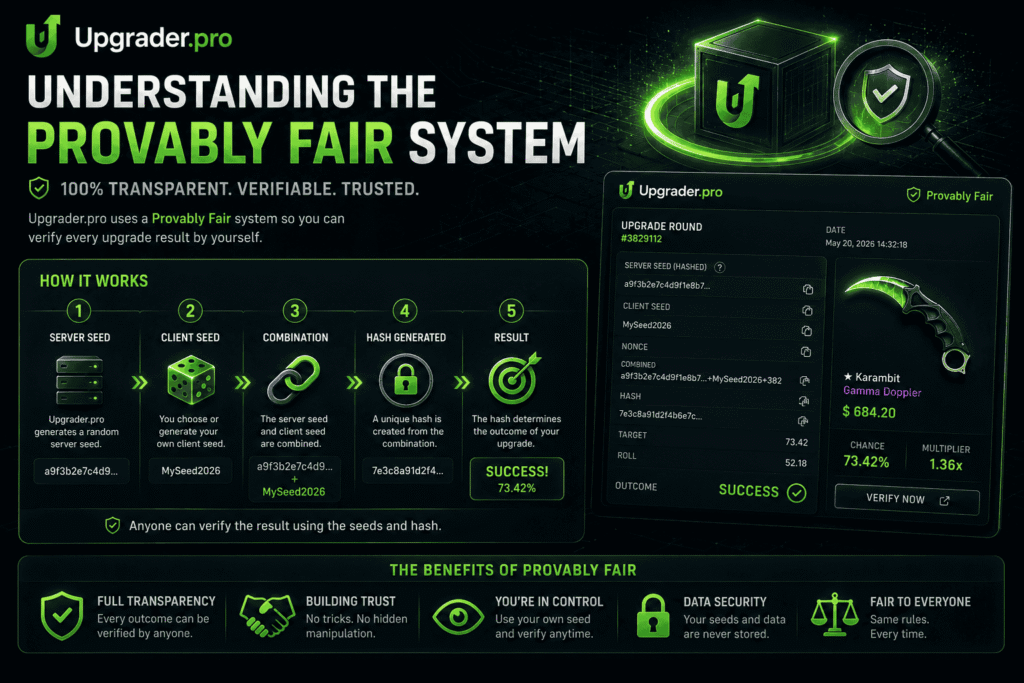
The verification area includes Seed Settings and Check Upgrade. These tools are connected to result transparency and allow users to inspect how upgrade outcomes can be checked after completion.
The upgrade animation is only the visual part of the experience. When users want to inspect the result itself, they should focus on the verification tools rather than only the success or fail screen.
Seed Settings
Seed Settings are connected to the randomness data used in upgrade outcomes. In a fairness system, seed values act as reference points that help create and later verify a result.
Users should read the visible seed fields carefully before changing or confirming any settings. The value of this section is that it gives users a visible fairness-related reference before future results are generated. This creates a clearer process than a system where the outcome is shown without any way to inspect the data behind it.
Check Upgrade
Check Upgrade is used after an upgrade has been completed. Users can take the relevant data from a finished upgrade and use the checking tool to confirm whether the result matches the verification data shown by the platform.
At Upgrader.pro, users can verify completed upgrades by following a simple process:
- Complete an upgrade.
- Open the Provably Fair section.
- Select Check Upgrade.
- Compare the required verification data.
- Confirm that the recorded result matches the displayed verification information.
For Upgrader.pro CS2 activity, this is the main place to verify a completed outcome. The checking process helps users compare what happened during the upgrade with the data available in the system. This does not guarantee a successful result, but it gives users a way to inspect whether the completed result can be verified.
What Verification Can and Cannot Prove
The verification tools can help confirm that a completed upgrade matches the data shown by the platform. This supports transparency around the result process.
However, verification does not make upgrading risk-free. Users can still lose items, balance, or value when an upgrade fails. The purpose of the Provably Fair system is to provide a checking method, not to promise a positive result.
Transaction Security
Transactions involve more than clicking a button on the platform. Users also need to confirm Steam-related actions carefully, especially when skins, trades, or balance changes are involved.
Deposits and Payment Confirmation
Before confirming a deposit or Steam trade, we recommend verifying that all transaction details match the action shown within your Upgrader.pro account. If a promo code is available, apply it before confirming your deposit.
Transactions should be completed only through the official Upgrader.pro interface and the user’s own Steam account. When users deposit skins or use any available deposit flow, they should follow the steps shown inside their active account area.
A deposit should not be treated as complete until the platform interface reflects the updated item status, balance, or confirmation. If a transaction is pending, users should avoid repeating the same action before checking whether the first attempt has already been processed.
Steam Trade Checks
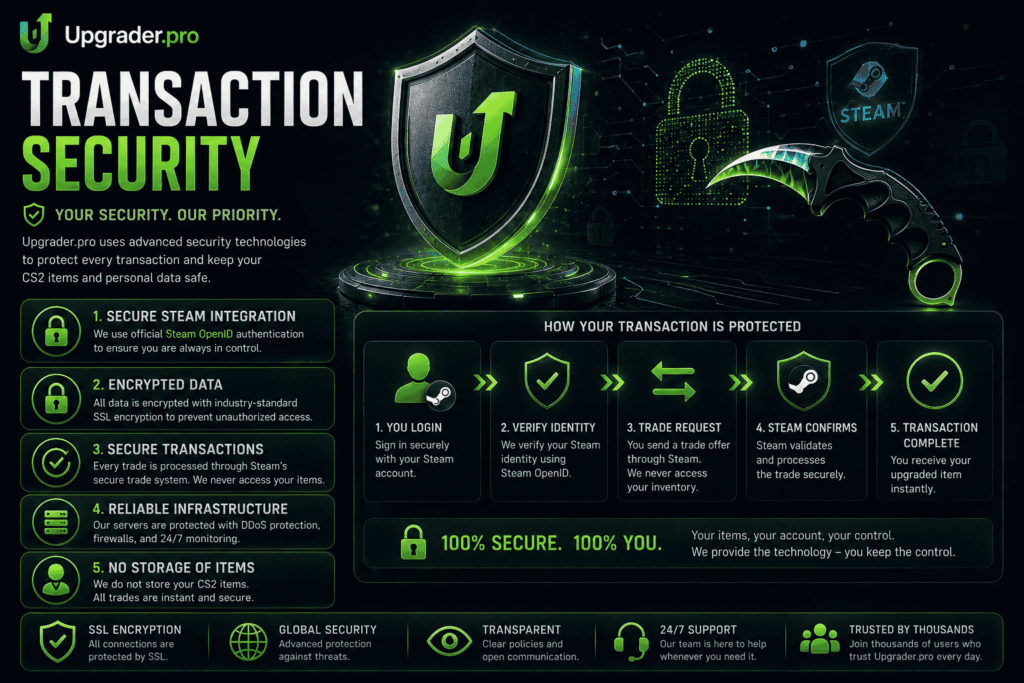
When Steam item transfers are involved, users should verify every trade confirmation before accepting it. The item name, quantity, recipient account, and trade details should match what the user expected from the platform flow.
Unexpected trade offers should be treated with caution. If a trade appears outside the expected process, comes from an unfamiliar account, or includes different items, users should not accept it. Transaction security depends on both the platform flow and the user’s own confirmation habits.
Account Activity and Transaction Records
If deposits, upgrades, balance changes, or account activity are visible in the user account area, users should use those records to check what happened after each action.
Visible account records can help users confirm whether an upgrade, deposit, or transfer was processed. If something does not match the expected result, users should stop making additional transactions until they review the status through the official interface.
Public Information About Upgrader.pro
Public platform information should come from the official website, not copied claims or unrelated third-party pages. For security-related questions, users should rely only on information that is visible and current on the official domain.
Official Website Information
The official Upgrader.pro website presents the platform as a CS2 item upgrading service. The public interface includes the main upgrade experience and a dedicated fairness verification area.
We encourage users to verify platform information through our official website, support pages, public policies, and the Provably Fair section instead of relying on third-party claims. Unsupported claims about ownership, licensing, or certifications should not be treated as confirmed unless they appear on the official website.
Terms, Policies, and Support Access
Users should check the current footer, menu, account area, or support section for legal pages, terms, privacy information, and contact options. These details can change over time, so they should always be verified directly on the website.
Our Terms, Policies, support pages, and other publicly available resources help users understand how the platform operates and verify information directly through official sources.
At Upgrader.pro, we do not ask users to rely on claims that cannot be checked. If a detail is not visible on the official website or cannot be confirmed through the platform interface, it should not be presented as a verified platform feature.
Why Official Sources Matter
CS2 skin-related platforms are often copied, imitated, or discussed on unofficial pages. This makes the official domain important for checking current functionality.
Users should avoid relying on old screenshots, reposted descriptions, or messages from accounts claiming to represent the platform. The live website is the proper place to check current access methods, fairness tools, account options, and support information.
Common Security Questions
Before using any CS2 upgrade platform, users usually want to know what can be verified. The most important checks involve login safety, result verification, account activity, and how users should respond if something looks suspicious.
Can Users Verify Upgrade Results?
Users can use the platform’s fairness tools to check completed upgrade results when the required verification data is available. The Check Upgrade tool is designed for this purpose.
For Upgrader.pro CS2 upgrades, users should keep or copy the relevant result data if they want to verify the outcome later. If data is not visible or cannot be checked in the interface, users should avoid making assumptions about details that are not shown.
How Does Provably Fair Verification Work?
The Provably Fair process uses seed-related data and completed upgrade information to let users compare an upgrade outcome with the verification record. This gives users a practical way to inspect the result beyond the animation.
The system is useful because the check can be repeated with the available data. Users can open the verification area, enter or compare the required details, and confirm whether the result matches the displayed record.
Does Upgrader.pro Store Steam Passwords?
Steam login through OpenID does not require users to enter their Steam password on the platform website. Users should only enter Steam credentials on Steam’s official sign-in page.
If a page outside Steam asks for a password, Steam Guard code, recovery code, or API key, users should treat it as suspicious and stop immediately.
What Should Users Do If They Notice Suspicious Activity?
If users notice an unexpected trade offer, unknown login activity, changed Steam settings, or an unfamiliar API key, they should secure their Steam account first.
If users notice suspicious activity, we recommend the following actions:
- Change the Steam password.
- Check Steam Guard.
- Review authorized devices.
- Review recent account activity.
- Contact us through our official support channels.
After that, users should contact support only through the official platform website and avoid replying to random messages claiming to represent the platform.
Tips for Keeping Your Steam Account Secure
These recommendations are general Steam security best practices, not special platform features. They are useful for anyone using CS2 skins, Steam trades, or account-based item platforms.
Use Steam Guard
Steam Guard adds another layer of protection to a Steam account. Users who deal with CS2 skins should keep Steam Guard enabled and use the mobile authenticator for trade confirmations.
This helps reduce the risk of unauthorized account access and gives users another opportunity to check trade details before confirming them.
Check the Official Domain
Users should open Upgrader.pro by typing the official domain manually or using a saved bookmark. This reduces the chance of landing on a phishing copy through a social media message, search ad, or shortened link.
The same rule applies to Steam. Before entering login details, users should confirm that the sign-in page belongs to Steam.
Protect Sensitive Steam Information
Users should never share their Steam password, Steam Guard code, recovery code, trade URL in public chats, or Steam Web API key. These details can be used to interfere with account access or trade activity.
Before approving any trade, users should check the recipient, item list, and confirmation details. If anything looks different from the expected transaction, the safer action is to cancel and investigate first.
Frequently Asked Questions
Users often ask the same short security questions before connecting a Steam account or using an upgrade feature. The answers below focus only on what can be explained through the platform flow and general Steam account safety practices.
The platform provides Steam-based account access and upgrade verification tools, but users should still check the official domain, Steam sign-in page, seed data, and trade confirmations before using item-related features.
Upgrader.pro has a public CS2 upgrade interface and visible fairness verification tools. Users should rely on the official website for current information and avoid unsupported claims from unrelated sources.
Yes, the platform uses Steam login for account access. Users should confirm that the authorization page is on the official Steam domain before entering any credentials.
A proper Steam OpenID login does not require the platform to receive the user’s Steam password. Users should only enter Steam credentials on Steam’s official sign-in page.
The system uses seed-related data and completed upgrade information to let users check whether a result matches the verification record shown by the platform.
At Upgrader.pro, completed upgrades can be verified through the Check Upgrade tool whenever the required verification data is available.